| View previous topic :: View next topic |
| Author |
Message |
X-Tools
Valued Contributor

Joined: 20 Sep 2001
Posts: 296
Location: Germany
|
 Posted: Mon Oct 20, 2003 10:35 am Post subject: Bitbtn Question again Posted: Mon Oct 20, 2003 10:35 am Post subject: Bitbtn Question again |
 |
|
Hi,
because I cannot answer to the first thread anymore (locked) I open a new thread.
CodeScript - do you know a way to place a text ontop of a bitbtn ?
I made a bitbtn without caption and want to place my text on
it, but it seems to be behind.
Bye, Fabian |
|
| Back to top |
|
 |
Protected
Valued Contributor

Joined: 02 Jan 2001
Posts: 228
Location: Portugal
|
| Posted: Mon Oct 20, 2003 11:40 am Post subject: |
|
|
| Are you sure the text is declared after the bitbtn in the program? |
|
| Back to top |
|
|
X-Tools
Valued Contributor
Joined: 20 Sep 2001
Posts: 296
Location: Germany
|
| Posted: Mon Oct 20, 2003 11:43 am Post subject: |
|
|
Hi,
yes. It is declared after the bitbtn |
|
| Back to top |
|
|
Protected
Valued Contributor
Joined: 02 Jan 2001
Posts: 228
Location: Portugal
|
| Posted: Mon Oct 20, 2003 11:46 am Post subject: |
|
|
You're right... It goes behind the button  |
|
| Back to top |
|
|
Skit3000
Admin Team

Joined: 11 May 2002
Posts: 2166
Location: The Netherlands
|
| Posted: Mon Oct 20, 2003 2:36 pm Post subject: |
|
|
How's this?
| Code: | DIALOG CREATE,New Dialog,-1,0,240,160
DIALOG ADD,BITBTN,BITBTN1,65,45,155,20," ",Hello there!
DIALOG SHOW
wait event |
_________________
[ Add autocomplete functionality to your VDS IDE windows! ]
Voor Nederlandse beginners met VDS: bekijk ook eens deze tutorial! |
|
| Back to top |
|
|
X-Tools
Valued Contributor
Joined: 20 Sep 2001
Posts: 296
Location: Germany
|
| Posted: Mon Oct 20, 2003 3:45 pm Post subject: |
|
|
Hi Skit,
what do you want to show me with this ?
I want to make a bitbtn with a icon and text on the right side of
it. (and the normal bitbtn mouseover-look)
Bye, Fabian |
|
| Back to top |
|
|
CodeScript
Moderator Team

Joined: 08 Jun 2003
Posts: 1060
Location: India
|
| Posted: Mon Oct 20, 2003 4:43 pm Post subject: |
|
|
Hi X-Tools
I don't think you can place a text over the Bitbtn as VDS will
paint it after the text element and also every time you hower mouse.
You cannot make a bitbtn tranparent either using SetWindowLong.
So IMHO there is no way you can make the TEXT visible through the
BitBtn unless you subclass and process the WM_PAINT messages
and draw the TEXT after the Bitbtn using a dll which may be more
difficult than even creating a custom button.
So again back to the option I suggested in the screenshot:
I think you might have got fudged letters on the bitmap and tried
to resort to your original way.
Try this:
=========
Use a 16 bit bitmap.
Use Windows paint(mspaint) to add text (I used the one with XP)
IMHO this gives best clarity compared to even advanced image editors
for this.
I wanted to suggest this earlier although the thread was locked by then.
_________________
Regards
- CodeScript
 Give your application a professional look with the VDSGUI Extension Give your application a professional look with the VDSGUI Extension |
|
| Back to top |
|
|
Skit3000
Admin Team
Joined: 11 May 2002
Posts: 2166
Location: The Netherlands
|
| Posted: Mon Oct 20, 2003 6:05 pm Post subject: |
|
|
| X-Tools wrote: | Hi Skit,
what do you want to show me with this ?
I want to make a bitbtn with a icon and text on the right side of
it. (and the normal bitbtn mouseover-look)
Bye, Fabian |
Oops...  Sorry, I thought you only needed some text on the bitbtn... Sorry, I thought you only needed some text on the bitbtn... 
_________________
[ Add autocomplete functionality to your VDS IDE windows! ]
Voor Nederlandse beginners met VDS: bekijk ook eens deze tutorial! |
|
| Back to top |
|
|
FreezingFire
Admin Team

Joined: 23 Jun 2002
Posts: 3508
|
| Posted: Mon Oct 20, 2003 7:53 pm Post subject: |
|
|
What if you placed a disabled bitbtn over the bitbtn you have the
image for and just a caption for the blank bitbtn, so that the bitbtn
with the label is painted after the image one.
In my opinion I think it would be easier to use bitmaps with the
MOUSEOVER style and then have a 3D effect on the moused over
bitmap. 
Then you can even use the "real" Windows XP bitbtns...
Just my opionion on the current bitbtns in VDS: I think, if at all
possible, they should definitely be converted into the "real"
Windows XP bitbns.
_________________
FreezingFire
VDSWORLD.com
Site Admin Team |
|
| Back to top |
|
|
CodeScript
Moderator Team
Joined: 08 Jun 2003
Posts: 1060
Location: India
|
| Posted: Tue Oct 21, 2003 2:12 am Post subject: |
|
|
| FreezingFire wrote: | In my opinion I think it would be easier to use bitmaps with the
MOUSEOVER style and then have a 3D effect on the moused over
bitmap. |
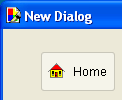
This is another option as I stated in earler post and you should see to it that entire button is made up of bitmap (no transparency).
I don't know why adding text to the bitmap itself is not OK. I looks good and is easier. 
_________________
Regards
- CodeScript
Give your application a professional look with the VDSGUI Extension |
|
| Back to top |
|
|
X-Tools
Valued Contributor
Joined: 20 Sep 2001
Posts: 296
Location: Germany
|
| Posted: Tue Oct 21, 2003 5:51 am Post subject: |
|
|
Hi,
thanks for all your help.
My basical problem is, that "perfect-intranet" becomes a multilingual application, where all texts and buttons are read from a inifile.
So my idea was to open a bitmap like you suggestion codescript, and then set the text to the bitmap using an image manipulation dll like tommy's vdsimg (from vdsdll3). But this one is not compatible to vds5 - there are some errors sometimes.
Maybe for the beginning i could make 2 buttons. One bitbtn and one textbtn.
Thanks again for your help.
Bye, Fabian |
|
| Back to top |
|
|
CodeScript
Moderator Team
Joined: 08 Jun 2003
Posts: 1060
Location: India
|
| Posted: Tue Oct 21, 2003 8:19 am Post subject: |
|
|
IMHO the best option would be make two (or more depending on number of languages, images for the same bitbtn) and load the one coreesponding to the name in the ini based on the selected language.
These 16 bit bitmaps aren't that big and are further reduced in size if U include them as a resource in your exe and run UPX on it with --best option.
Using text and bitmap click events has some bugs which I don't mention here.
_________________
Regards
- CodeScript
Give your application a professional look with the VDSGUI Extension |
|
| Back to top |
|
|
Skit3000
Admin Team
Joined: 11 May 2002
Posts: 2166
Location: The Netherlands
|
| Posted: Tue Oct 21, 2003 1:28 pm Post subject: |
|
|
Maybe you can use this to simulate a bitbtn like in IE. You should include a loop yourself to look if the button is still pressed...
| Code: | #define command,bitbtn
DIALOG CREATE,Nieuw Dialoog,-1,0,240,160
bitbtn add,bitbtn1,30,30,120,38,@windir()\explorer.exe,My Computer
DIALOG ADD,BITBTN,BITBTN2,87,30,80,55,@windir()\explorer.exe,A 'real' Bitbtn
DIALOG SHOW
:Evloop
wait event
goto @event()
:Bitbtn1enter
rem Let the script know there is a mouseover event...
bitbtn mouseover,Bitbtn1
goto Evloop
:Bitbtn1leave
rem Let the script know the mouse isn't over then bitbtn...
bitbtn mouseout,Bitbtn1
goto Evloop
:Bitbtn1click
rem Let's show the 'shade'...
bitbtn click,Bitbtn1
info You clicked the button!
goto Evloop
:Close
exit
rem Include this in your code...
:Bitbtn
if @equal(%1,ADD)
DIALOG ADD,SHAPE,%2"SHAPE1",%3,%4,%5,%6,D4D0C8,D4D0C8,,RECTANGLE
DIALOG ADD,BITMAP,%2"BITMAP2",@fadd(%3,3),@fadd(%4,3),32,32,%7,,STRETCH
DIALOG ADD,TEXT,%2"TEXT1",@fadd(%3,12),@fadd(%4,40),,,%8
DIALOG ADD,BITMAP,%2,%3,%4,%5,%6,,,,MOUSEOVER,CLICK
DIALOG ADD,SHAPE,%2"SHAPE2",%3,%4,1,%6,WHITE,WHITE,,RECTANGLE
DIALOG ADD,SHAPE,%2"SHAPE3",%3,%4,%5,1,WHITE,WHITE,,RECTANGLE
DIALOG ADD,SHAPE,%2"SHAPE4",%3,@fadd(%4,%5),1,%6,GRAY,GRAY,,RECTANGLE
DIALOG ADD,SHAPE,%2"SHAPE5",@fadd(%3,%6),%4,@fadd(%5,1),1,GRAY,GRAY,,RECTANGLE
DIALOG ADD,SHAPE,%2"SHAPE6",%3,%4,1,%6,GRAY,GRAY,,RECTANGLE
DIALOG ADD,SHAPE,%2"SHAPE7",%3,%4,%5,1,GRAY,GRAY,,RECTANGLE
DIALOG ADD,SHAPE,%2"SHAPE8",%3,@fadd(%4,%5),1,%6,WHITE,WHITE,,RECTANGLE
DIALOG ADD,SHAPE,%2"SHAPE9",@fadd(%3,%6),%4,@fadd(%5,1),1,WHITE,WHITE,,RECTANGLE
DIALOG HIDE,%2"SHAPE2"
DIALOG HIDE,%2"SHAPE3"
DIALOG HIDE,%2"SHAPE4"
DIALOG HIDE,%2"SHAPE5"
DIALOG HIDE,%2"SHAPE6"
DIALOG HIDE,%2"SHAPE7"
DIALOG HIDE,%2"SHAPE8"
DIALOG HIDE,%2"SHAPE9"
end
if @equal(%1,MOUSEOVER)
DIALOG SHOW,%2"SHAPE2"
DIALOG SHOW,%2"SHAPE3"
DIALOG SHOW,%2"SHAPE4"
DIALOG SHOW,%2"SHAPE5"
DIALOG HIDE,%2"SHAPE6"
DIALOG HIDE,%2"SHAPE7"
DIALOG HIDE,%2"SHAPE8"
DIALOG HIDE,%2"SHAPE9"
end
if @equal(%1,MOUSEOUT)
DIALOG HIDE,%2"SHAPE2"
DIALOG HIDE,%2"SHAPE3"
DIALOG HIDE,%2"SHAPE4"
DIALOG HIDE,%2"SHAPE5"
DIALOG HIDE,%2"SHAPE6"
DIALOG HIDE,%2"SHAPE7"
DIALOG HIDE,%2"SHAPE8"
DIALOG HIDE,%2"SHAPE9"
end
if @equal(%1,CLICK)
DIALOG HIDE,%2"SHAPE2"
DIALOG HIDE,%2"SHAPE3"
DIALOG HIDE,%2"SHAPE4"
DIALOG HIDE,%2"SHAPE5"
DIALOG SHOW,%2"SHAPE6"
DIALOG SHOW,%2"SHAPE7"
DIALOG SHOW,%2"SHAPE8"
DIALOG SHOW,%2"SHAPE9"
end
exit |
_________________
[ Add autocomplete functionality to your VDS IDE windows! ]
Voor Nederlandse beginners met VDS: bekijk ook eens deze tutorial! |
|
| Back to top |
|
|
X-Tools
Valued Contributor
Joined: 20 Sep 2001
Posts: 296
Location: Germany
|
| Posted: Tue Oct 21, 2003 1:48 pm Post subject: |
|
|
cool  |
|
| Back to top |
|
|
Skit3000
Admin Team
Joined: 11 May 2002
Posts: 2166
Location: The Netherlands
|
|
| Back to top |
|
|
|
|
You cannot post new topics in this forum
You cannot reply to topics in this forum
You cannot edit your posts in this forum
You cannot delete your posts in this forum
You cannot vote in polls in this forum
You can attach files in this forum
You can download files in this forum
|
|

 FAQ
FAQ Search
 Memberlist
 Usergroups
 Register
 Profile
 Log in to check your private messages
 Log in


 @vdsworld